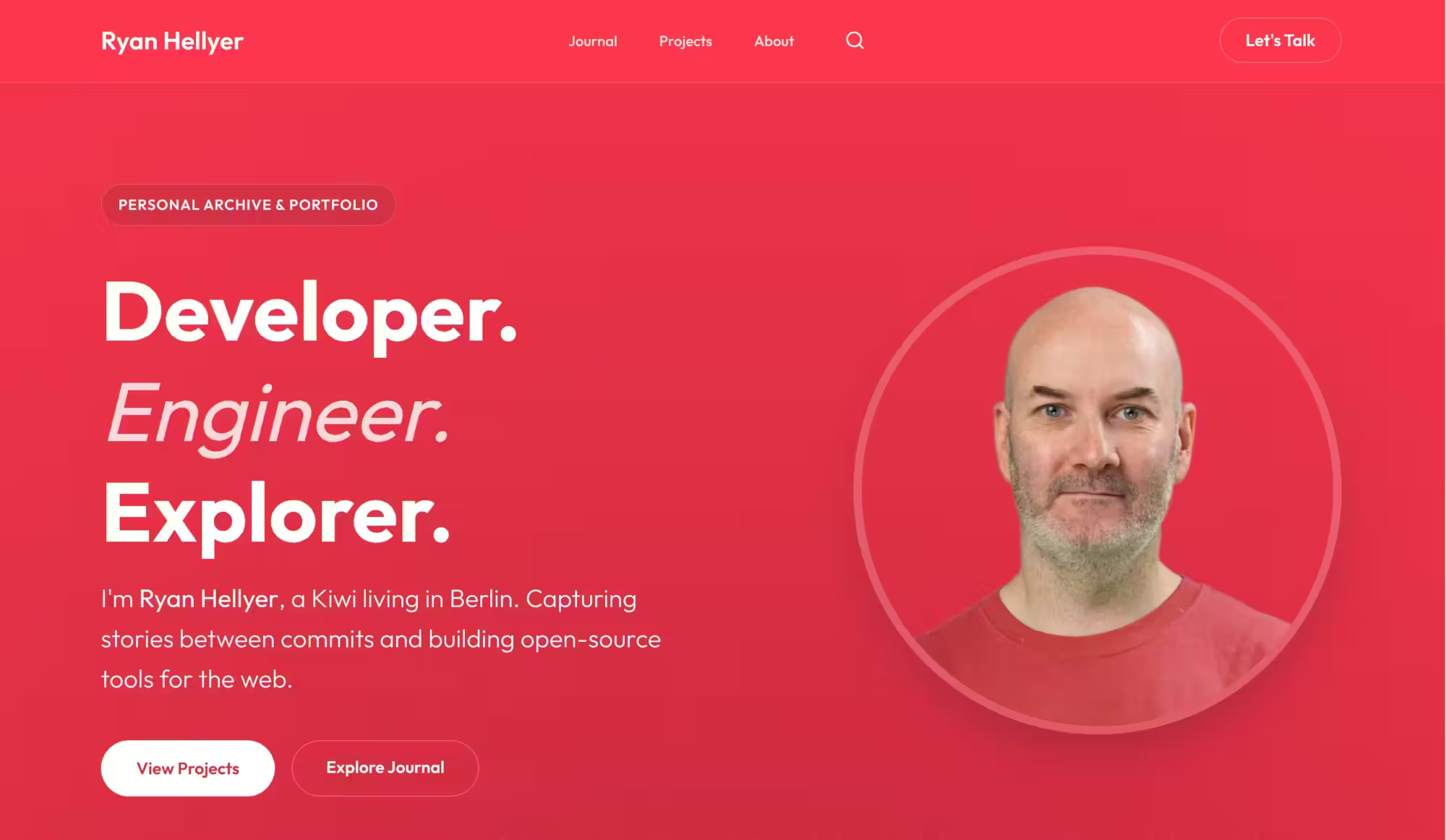
My website has been through more iterations than I care to count. It started life years ago on Yahoo! Geocities, back when sparkly GIFs and guestbooks were the height of web design. In 2006 I switched to WordPress, which served me faithfully for nearly two decades.
But in the past few years I’ve been doing a ton of Laravel work. I love it. Laravel makes it far easier to implement complex functionality and gives me complete control over how a site works. I’d been wanting to rebuild for a while, and December was when I finally began that process.
Merging the blogs
I used to run three separate blogs:
- ryan.hellyer.kiwi: my main personal site
- random.hellyer.kiwi: a random collection of thoughts
- geek.hellyer.kiwi: my tech blog
I used to prefer to keep my personal and tech life separated, but lately I’ve realised these two aspects of my life are intertwined. The people interested in my tech stuff are also interested to see what I’m up to in my personal life and vice versa. So in December I began merging them together.
Headless WordPress + Laravel
The architecture I settled on is a headless WordPress setup where WordPress is still present for post and page editing, but Laravel does all of the heavy lifting. The only WordPress plugins I still run are Safe Redirect Manager from 10up for managing redirects, and a custom plugin for outputting all the post content at once via a WP REST API endpoint. Everything else (routing, templating, caching, SEO) is handled by Laravel.
Getting the data to Laravel
I have a service class which fetches all of the content from the WP REST API and caches it aggressively. I use Laravel’s Cache::flexible() system with a 5-minute fresh window and a 7-day stale window, so stale content is served while it revalidates in the background. This avoids there ever being a slowdown due to a laggy WordPress request and even if WordPress is down, my Laravel site will keep on chugging.
The performance difference is night and day. A cold-cache page load on WordPress was around 150ms+ and ate 32MB+ of RAM. With Laravel serving the frontend, that dropped to ~10-12ms per page. The trick is that I pull all posts in a single fast query rather than hitting the WordPress database on every single page view, a pattern I’ve seen some headless implementations get wrong, causing nasty performance cliffs when the cache warms up.
Design with a little AI help
I’m a developer who can hold my own with design, but I’m no guru by any means. The basic layout was inspired by an earlier version of joost.blog, the personal site of Joost de Valk. For the last polish pass I used Gemini 3.1 to help refine the look. It made me feel much more confident dialling in the typography, spacing, and overall feel. The AI also offered some good font selection advice; I’m much happier with the font selection now.
Full page caching
I’ve run full page caching for years. I started out with Batcache, then moved to Varnish Cache, an old client of mine that I stuck with long after I stopped working for them. But configuring Nginx for full page microcaching is much simpler now than it was back when I first went with Varnish, so I made the switch. The Nginx setup is leaner, one less moving part, and does exactly what I need.
SEO rebuilt from scratch
I didn’t want to pipe SEO metadata through from WordPress. That felt fragile and added unnecessary overhead. So I rebuilt everything directly in Laravel:
- JSON-LD structured data (Schema.org
WebSite,CollectionPage,WebPage,Person,ImageObject) - Open Graph / Twitter Card meta tags
- Canonical URLs with prev/next for paginated archives
- XML sitemaps (posts, pages, tags, plus an index)
- RSS 2.0 feed
robots.txtwith selective disallowsnoindexon privacy/legal pages
It took a little time, but it wasn’t dramatic, and it’s certainly easier than wiring it all up manually inside a WordPress theme (which I never bothered to do; I always just ran Yoast SEO).
The /projects/ page
The thing I’m most proud of right now is the new projects page. It showcases the open-source stuff I’ve built over the years, Laravel packages, WP plugins, CLI tools, and each project has its own dedicated page with features, installation guides, and stats.
Some technical details
Some other bits I think are neat:
- Dynamic image resizing using League Glide. Images served at any dimension via URL parameters, with AVIF support through Imagick.
- URL canonicalisation middleware, lowercase enforcement, trailing slash enforcement, cache flush param stripping
- Lightbox UI: keyboard-navigable overlay for image links in posts
What’s next
The site scores 100/100 for performance, best practices, and SEO on Google PageSpeed Insights on desktop, and 98/100 on mobile. There are some accessibility issues which dropped me to 96/100, some of which I may never fix; I’m not convinced they’re critical problems.
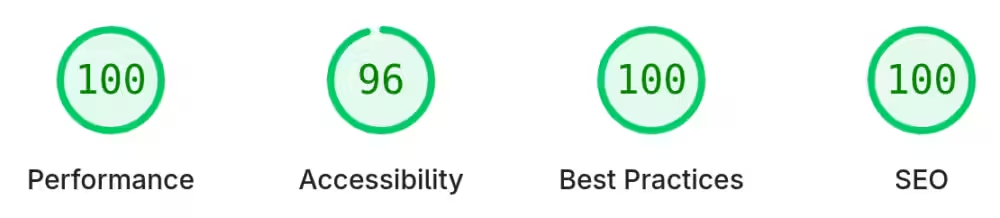
My Google PageSpeed Insights results for desktop
I still have some minor things to upgrade, including accessibility related bits, but these sorts of things are always a work in progress for life.
I was also intending to add a dark mode, but I haven’t figured out a good design for one that doesn’t look tacked on. For now I’ll be sticking with light mode only.
The site is the closest it’s ever been to exactly what I want. Laravel + headless WordPress has been a fantastic combination. At some point I’ll probably ditch WordPress entirely; it’s barely doing anything right now as it is.