Like most people, I use LLMs a lot these days. For months I’ve bounced between ChatGPT and Gemini, each one glitching out at the worst possible moments. The UI would freeze, a response just … stops. Or they decide you asked something “dangerous” and shut down the conversation entirely.
Meanwhile, every time I used OpenRouter or OpenCode Zen, things just worked. No drama. No random disconnects. No moralising about my questions. They just worked, and everything was great, with one exception.
So I did what any reasonable person with a server and too much free time would do: I installed my own. I now run a private LLM chat interface at chat.hellyer.kiwi. It’s not public; it’s just for me. I thought this was going to be a bit of a nightmare to configure, but it was maybe 30 mins tops and I’m super happy with the result.
Why bother?
Reliability: I wanted something that wouldn’t randomly nuke a long conversation because some rate limiter somewhere decided I’d been thinking too hard. OpenRouter’s API has been rock-solid for me.
Backups: I’m quite sentimental about my digital history and I don’t like losing things. Yahoo! decided to delete my entire email history once, which was a very sad day for me. Then Microsoft did it to my Hotmail account as well. I now backup my Gmail account religiously, and I want to do the same for my LLM history now too. In 10 years time, if I want to grep through old chats from a decade ago, I’ll be able to do that.
LibreChat vs Open WebUI
I tried LibreChat first. It’s a solid project, but it seemed a bit overkill for a single person. It uses MongoDB which makes some sense if you’ve got multiple users hammering the same instance, doing concurrent writes, and generating enough data that you need something beefy to handle it. But I’m one person. My chat volume is not going to melt a database.
Open WebUI, on the other hand, uses SQLite. A single file. No daemon, no connection strings. Just a humble .db file sitting on disk that I can back up with a simple rsync and inspect with any SQLite tool if I ever feel like it. For a single-user setup, that’s exactly the right level of complexity … basically none. Concurrent writes might be a problem if you had many people using it at once, but for a single person operation, that doesn’t matter at all.
The stack
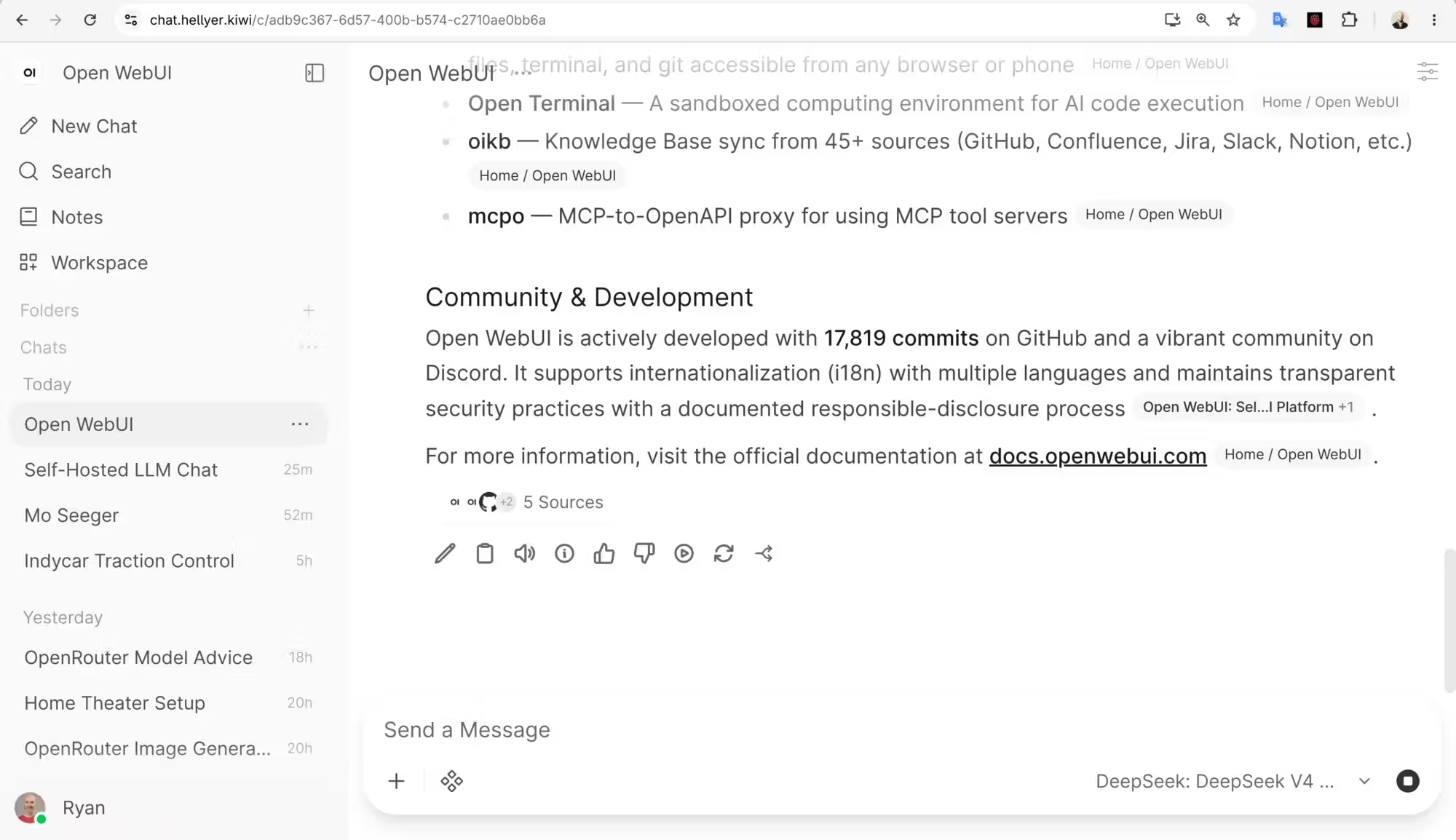
Open WebUI is the frontend. It feels a lot like ChatGPT, but you point it at whatever backend you want. I have it hooked up to OpenRouter, which gives me access to basically every model under the sun without having to manage API keys for a dozen different providers. The whole thing runs in a Podman container behind Nginx on a modest Ubuntu VPS. Nothing fancy.
How to set up your own
If you’ve got basic server admin skills, this is genuinely straightforward. I’m using Podman and Nginx here, but Docker works just as well, and Apache would too if that’s your thing. The concepts are identical.
You will need a web server and Podman or Docker.
You just need to create a directory to store the app, then run a single Podman command (also works with Docker) and you will have a local chat app running!
sudo mkdir -p /var/www/chat.domain.com
podman run -d \
	-p 127.0.0.1:3000:8080 \
	-e WEBUI_URL=https://chat.domain.com \
	-e OPENROUTER_API_KEY=your-key-here \
	--name open-webui \
	--restart always \
	-v /var/www/chat.domain.com:/app/backend/data:Z \
	ghcr.io/open-webui/open-webui:main
A few things to note:
- It binds to
127.0.0.1:3000— not exposed to the internet directly. The next step, you will need to use a web server to serve it to the outside world. - The
WEBUI_URLenvironment variable tells Open WebUI what its public URL is, so WebSocket connections and redirects work correctly. - The volume mount is where your chat history lives – the SQLite database and all your conversation files. This is the bit you may like to back up if you want to keep your chats for later.
Here is an example Nginx config to get you started. The same concept should work with Apache or other web servers:
server {
	listen 443 ssl;
	server_name chat.domain.com;

	# SSL cert setup
	ssl_certificate /etc/letsencrypt/live/chat.domain.com/fullchain.pem;
	ssl_certificate_key /etc/letsencrypt/live/chat.domain.com/privkey.pem;

	# Set a big max body size to avoid large requests maxing out
	client_max_body_size 100M;

	location / {
		proxy_pass http://127.0.0.1:3000;
		proxy_set_headerHost $host;
		proxy_set_headerX-Real-IP $remote_addr;
		proxy_set_headerX-Forwarded-For $proxy_add_x_forwarded_for;
		proxy_set_headerX-Forwarded-Proto $scheme;

		# WebSocket support
		proxy_http_version 1.1;
		proxy_set_headerUpgrade $http_upgrade;
		proxy_set_headerConnection "upgrade";

		# Prevent 502 timeouts on long responses
		proxy_buffering off;
		proxy_read_timeout 600s;
		proxy_send_timeout 600s;
		proxy_connect_timeout 600s;
	}
}
The WebSocket bits are important. Open WebUI uses them for streaming responses. The timeout settings prevent Nginx from giving up on you when the model is thinking for a while.
What I actually use day-to-day
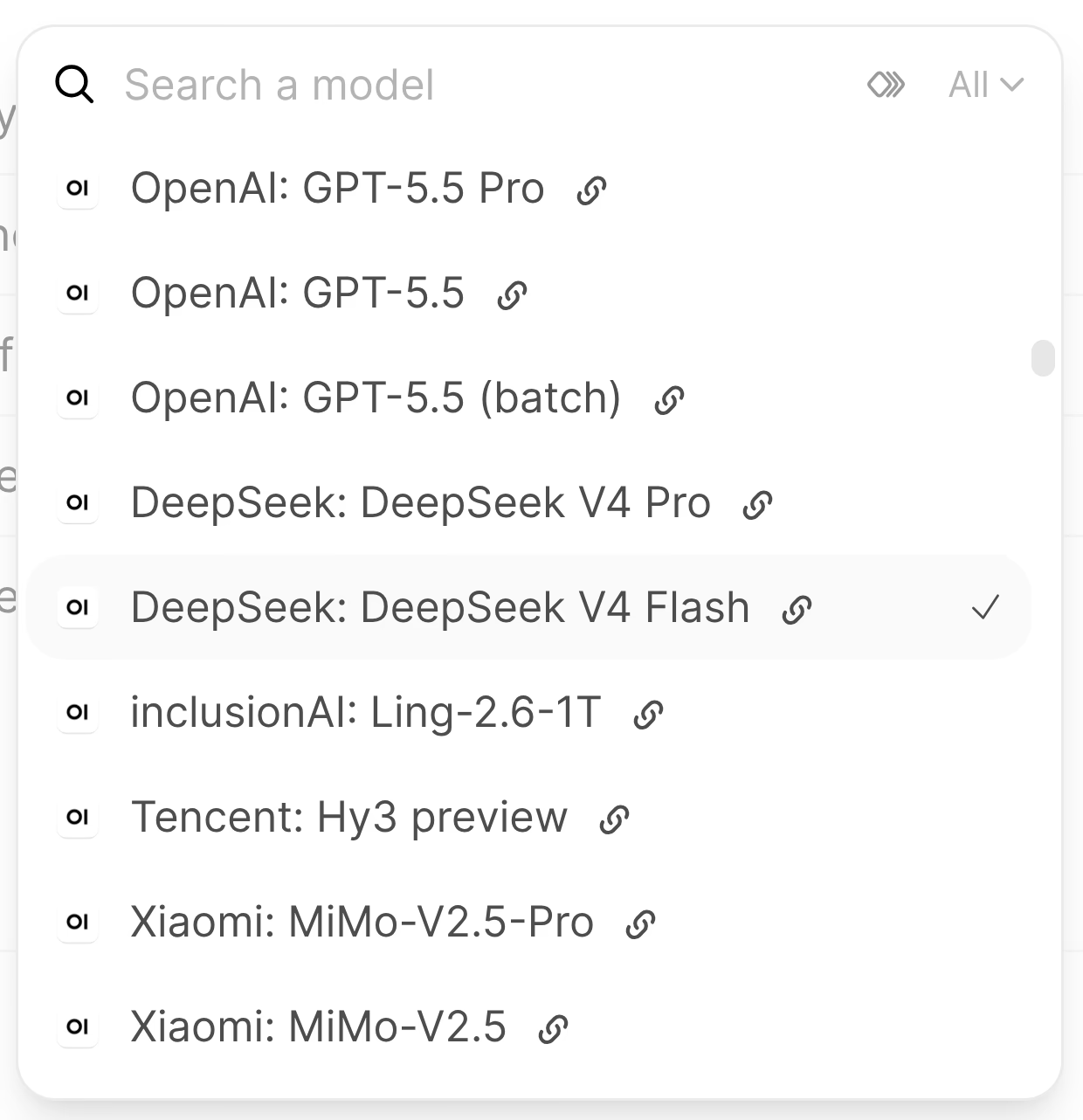
My queries are not complicated. I’m not doing multi-step coding tasks in the browser. Those are handled via OpenCode. I’m asking stuff like “why did this Go file poop itself” or “summarise this log file.”, neither of which require a frontier model. So I mostly use DeepSeek V4 Flash via OpenRouter. It’s fast, it’s cheap, and it handles 90% of what I throw at it without complaint. My daily cost hovers around 30 cents.
When I need something heavier, I can switch to any from the giant list of LLMs available on OpenRouter. The beauty of OpenRouter is that switching models takes two clicks. No new API keys, no account changes and it’s so far been extremely reliable for me.
The verdict
The setup was trivial, the running cost is negligible, and I’m much happier with this setup. Hopefully some day, I’ll be able to pair this with a cheap to run local model.